Toast Payout Reconciliation in QuickBooks for Fort Myers
A busy Fort Myers restaurant can record hundreds of Toast orders in a week, yet the bank may show only a handful of deposits. Toast payout reconciliation connects those two records so your QuickBooks file reflects what happened at the point of sale and what actually reached your bank account.
Toast sales and bank deposits are different numbers. Sales may include taxes, tips, gift cards, refunds, discounts, and multiple payment types. Payouts then subtract processing fees, refunds, and other adjustments before sending money to the bank. A repeatable reconciliation process keeps those differences from becoming unexplained bookkeeping problems.
Key Takeaways
- Toast records customer transactions, while QuickBooks must also account for payout deductions and deposit timing.
- A Toast clearing account helps match each payout to the related bank deposit.
- Every reconciliation should retain the Toast report, payout detail, bank transaction, and explanation for differences.
- Fort Myers restaurants with several locations should reconcile each location before combining results.
- QuickBooks reports are only as reliable as the sales and payout data posted to them.
Why Toast Sales Do Not Equal Bank Deposits
Your Toast dashboard may show gross sales for a business day, but that amount usually isn't the amount deposited into your bank account. The sales report can include menu revenue, sales tax collected, tips, service charges, discounts, refunds, and gift card activity. The payout report focuses on the amount Toast sends after deductions and adjustments.
Timing also creates confusion. A restaurant may close its books at midnight, while Toast groups transactions according to its payout schedule. A Saturday night deposit could include late-night sales, earlier transactions, or activity from more than one business date. Bank holidays and weekends can also change when funds appear.
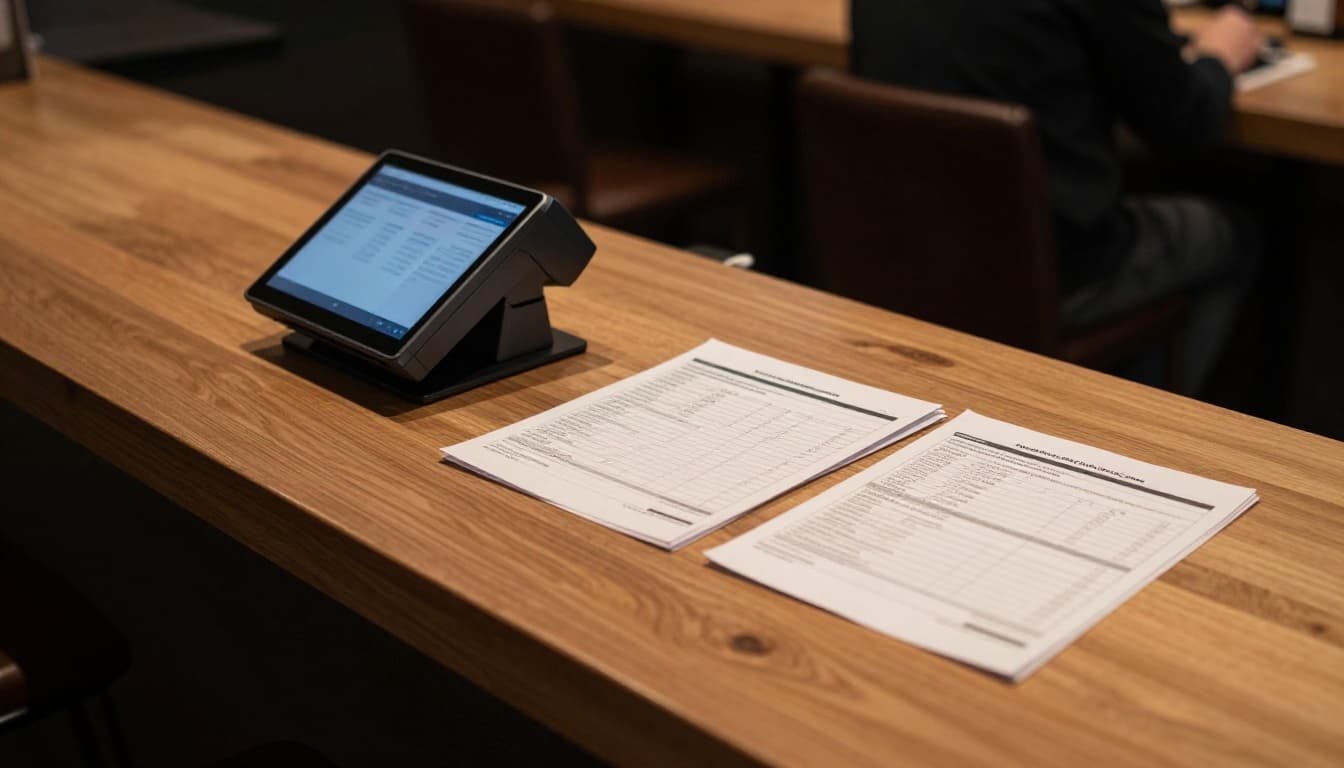
For example, a Fort Myers café may record $8,000 in Toast sales during a busy week. The bank could receive $7,540 because Toast withheld processing fees, refunded an order, and transferred tips through the payout process. Posting the $7,540 deposit as sales would understate revenue and hide the deductions.
A clean bookkeeping file records the sales and the settlement separately. The sales entry shows what customers purchased. The payout entry shows how that activity became a net deposit.
The bank deposit answers, "How much cash arrived?" The Toast sales report answers, "What did customers buy?" Reconciliation connects the answers without treating them as the same number.
Toast Payout Reconciliation Workflow in QuickBooks
QuickBooks Online can match downloaded bank transactions, but an automatic match isn't proof that the books are correct. The transaction must connect to the correct Toast payout and supporting reports.
Many restaurants use a Toast payouts clearing account in QuickBooks. This account tracks money after Toast records sales but before the bank receives the payout. It can be set up as a bank-type or other current asset account, depending on the restaurant's bookkeeping design. The account name should be clear enough for a manager or bookkeeper to understand.
A practical workflow looks like this:
- Confirm the reporting period. Choose the Toast business date, payout date, or accounting period used by your bookkeeping policy. Keep the same approach each month.
- Export the Toast reports. Save the sales summary, payment report, payout detail, refunds, and fee information for the period.
- Record the sales activity. Post revenue to the appropriate income accounts, such as food sales, beverage sales, alcohol sales, or catering sales. Record taxes, tips, gift cards, and other liabilities separately when the reports identify them.
- Record payout deductions. Post processing fees, refunds, chargebacks, and other adjustments to the accounts your bookkeeping system uses for those items.
- Move the net payout to the bank account. When the bank deposit appears, match or record a transfer from Toast clearing to the operating account.
- Compare the ending balance. The Toast clearing account should explain payouts that have been initiated but haven't reached the bank, along with deposits that need review.
QuickBooks can support different posting methods. Some restaurants use a daily summary entry. Others record each payout, especially when Toast produces clear settlement-level detail. The right choice depends on sales volume, reporting access, the integration in use, and how much detail the owner needs.
The important point is consistency. If one week uses gross sales and another week uses net deposits, financial reports won't provide a dependable comparison.
A Sample Reconciliation With Clearly Labeled Amounts
The following figures are sample amounts for illustration only . They aren't tax, legal, or accounting advice.
Suppose a Fort Myers bar reviews one Toast payout for sales recorded on a Friday. The business uses one operating bank account and posts Toast activity through a clearing account.
| Item | Sample amount |
|---|---|
| Food and beverage sales | $6,420.00 |
| Sales tax collected | $448.40 |
| Tips recorded | $782.00 |
| Discounts and refunds | ($150.00) |
| Gross activity shown in Toast | $7,500.40 |
| Processing fees | ($225.01) |
| Other payout adjustment | ($35.39) |
| Net Toast payout | $7,240.00 |
| Deposit shown in bank | $7,240.00 |
The Toast reports show $7,500.40 in total activity, but the bank deposit is $7,240.00. The $260.40 difference is explained by the processing fee and other payout adjustment. It shouldn't be posted as missing sales.
A basic QuickBooks review would confirm that:
- Revenue accounts reflect the applicable sales activity.
- Sales tax and tips aren't mixed into restaurant revenue.
- The $260.40 in deductions has an appropriate account.
- The Toast clearing account decreases by $7,240.00 when the deposit is recorded.
- The bank transaction matches the exact $7,240.00 payout.
If the bank shows $7,180.00 instead, stop the match and investigate. The difference could relate to a separate refund, a split payout, a withheld amount, a duplicate entry, or a timing issue. Don't force the transaction to match only because the date looks similar.
Building an Audit Trail for Every Payout
A reconciliation is easier to defend when another person can follow it without asking you to remember what happened. Each Toast payout should have a saved record that ties the source transaction to the QuickBooks entry and bank activity.
At a minimum, retain:
- The Toast payout report and payout identification number
- The related sales summary
- Refund, dispute, and adjustment details
- Processing fee information
- The QuickBooks transaction or journal entry
- The matching bank statement line
- A short note for unresolved or unusual differences
Use a consistent file name, such as 2026-07-15 Toast Payout 12345
, and store documents by month and location. Keep a separate folder for each restaurant when an owner operates more than one site. A downtown Fort Myers location, a restaurant near the beaches, and a café in a neighboring community may share an owner but still need separate sales and payout reviews.
The payout ID matters because deposit dates can shift. A bank feed may import a deposit one or two days after Toast initiates it. The ID gives you a stable reference when the dates don't line up.
For refunds, document both sides of the activity. The sales report may show the original transaction, while the payout report shows the later deduction. Without both records, a refund can look like a random reduction in cash.
Common QuickBooks Errors to Catch Early
Several posting habits create problems even when the bank account appears reconciled.
Recording every bank deposit as restaurant income is the most common error. This inflates or distorts revenue because the deposit is already net of fees and other deductions. It can also leave tips and sales tax in the wrong accounts.
Using the bank feed as the primary sales record creates another gap. Bank data proves that cash moved, but it doesn't identify the underlying menu sales, refunds, tips, or tax components. Toast reports provide that detail.
Ignoring timing differences can make a correct payout look incomplete. Review the payout date, business date, settlement date, and bank posting date before calling something missing.
Combining locations too early hides problems. A payout from one location may be posted against another location's sales if the bookkeeping file doesn't track classes, locations, or separate clearing accounts.
Leaving a clearing account balance unexplained is also a warning sign. Some balance may be normal at month-end, especially when payouts are pending. However, old items, repeated amounts, or unexplained negative balances require review.
Deleting the source report after posting removes the evidence needed to answer future questions. Store the reports with the accounting records, subject to your record-retention process.
Restaurant owners who want help setting up this workflow can review small business bookkeeping services in Fort Myers for support with QuickBooks, reconciliations, and recurring financial records.
A Monthly Process for Fort Myers Restaurant Owners
Daily sales reports may be necessary for a high-volume operation, but many small restaurants can start with weekly payout reviews and a full monthly close. The schedule should match transaction volume and the speed at which errors need attention.
At the end of each week, download Toast payout detail and compare each payout with the bank. Review unusual refunds, chargebacks, negative adjustments, and deposits that remain unmatched. Correcting a missing payout while the transactions are fresh is easier than researching it months later.
At month-end, check the Toast clearing balance. Compare total Toast sales with QuickBooks revenue accounts, then compare total net payouts with bank deposits. Review the difference between those totals through the liability and expense accounts used for tax, tips, refunds, and fees.
Multi-location operators should complete the same process for each site. Use location tracking in QuickBooks or separate accounts when that structure fits the business. Managers can then review sales and deposits without mixing activity from different restaurants.
Keep a short reconciliation note for each month. It can identify pending payouts, a bank delay, a large refund, or a corrected duplicate. Clear notes reduce repeated research during financial statement reviews and tax preparation.
When to Get Bookkeeping Help
Toast payout reconciliation becomes harder when the restaurant has several payment channels, multiple bank accounts, delivery platforms, gift cards, or more than one location. QuickBooks may also contain duplicate entries if an integration posts sales while someone separately records bank deposits.
A bookkeeping professional can review the current setup, identify duplicate or missing postings, and establish a repeatable process. That review should include the Toast integration, chart of accounts, clearing accounts, bank-feed rules, location tracking, and supporting documents.
The goal isn't to make every report look identical. Toast, QuickBooks, and the bank serve different purposes. The goal is to make the differences traceable.
Conclusion
A strong Toast payout reconciliation process keeps restaurant sales, payout deductions, and bank deposits in their proper places. QuickBooks should show the full activity behind each deposit, not only the net cash that arrived.
For Fort Myers restaurants, bars, and cafés, the most useful habit is simple: save the payout detail, record the underlying sales, explain every deduction, and match the net amount to the bank. When each payout has a clear audit trail, owners can review their numbers with less guesswork and make decisions from records they can trust.