QuickBooks Fixed Asset Disposal for Fort Myers Businesses
Selling or throwing out business equipment can leave a surprising mess in your books. A careful QuickBooks fixed asset disposal process removes the old asset, clears its accumulated depreciation, and records any gain or loss.
For Fort Myers businesses, common examples include replacing a work truck, selling restaurant equipment, retiring computers, or disposing of storm-damaged property. The bookkeeping entry and tax return treatment may differ, so accurate records matter before anything is deleted from QuickBooks Online.
What happens when a business disposes of an asset?
A fixed asset stays on your balance sheet until you remove it. Selling, trading in, scrapping, donating, abandoning, or losing the property can all require a disposal entry.
The goal is to remove two balances:
- The asset's original cost
- Its accumulated depreciation
You then record what the business received and recognize the difference as a gain or loss.
Book value is different from tax basis
Book value is the asset's cost less depreciation recorded in your financial statements. Tax basis is the amount used for tax reporting after tax depreciation, Section 179 deductions, bonus depreciation, business-use adjustments, and other changes.
Those amounts often differ. For example, your books may show a vehicle with a $20,000 carrying value, while its tax basis is $0 because the business claimed accelerated tax deductions.
The IRS Publication 544 guidance explains how sales and other dispositions are measured for tax purposes. Don't assume the gain or loss shown in QuickBooks is the exact amount that belongs on the tax return.
Gather the asset records first
Before posting anything, collect the purchase invoice, settlement statement, disposal date, depreciation schedule, and proof of proceeds. Also confirm whether the asset belongs entirely to the business.
Your file should show:
- The original purchase price and purchase date
- The date the asset became available for business use
- The QuickBooks asset account
- Accumulated book depreciation through the disposal date
- Sale proceeds, trade-in value, insurance payment, or salvage value
- Any loan payoff connected to the asset
If the account structure needs work, review this QuickBooks fixed asset setup for Fort Myers businesses before recording the disposal.
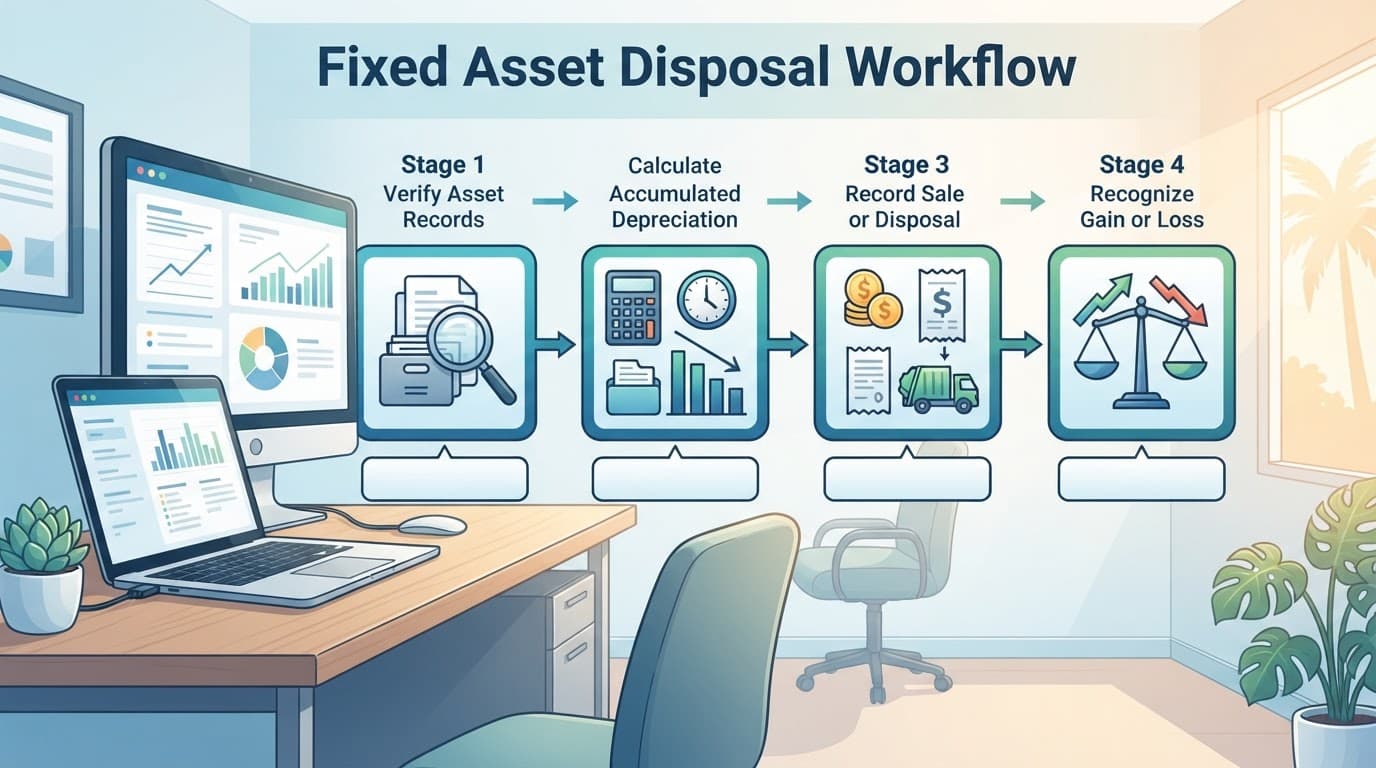
QuickBooks fixed asset disposal: a four-step workflow
A reliable disposal entry follows the same basic order, whether the asset is a van, printer, freezer, or piece of construction equipment.
1. Confirm the asset's original cost
Open the asset account in QuickBooks Online and trace the balance to the purchase transaction. Check that the account includes only capitalized costs connected to that asset.
For example, a business vehicle account might include the purchase price and qualifying delivery costs. Routine repairs, fuel, insurance, and registration usually belong in expense accounts instead.
If the asset was bundled with other equipment, identify the correct portion before removing anything. A single journal entry should not erase several assets unless your records support that treatment.
2. Bring depreciation current
Record book depreciation through the date of sale or disposal. If your books use monthly depreciation, follow the same convention used in prior periods. If the asset left service halfway through a month, document the method used.
QuickBooks Online doesn't automatically replace a tax depreciation schedule. Many businesses track book depreciation in QuickBooks while their tax professional maintains a separate tax schedule.
After the update, calculate:
Book value = original cost - accumulated book depreciation
That book value determines the book gain or loss.
3. Confirm what the business received
A sale may produce cash, a check, a financed receivable, or a trade-in credit. A disposal may produce nothing. Insurance proceeds can apply when property is damaged, stolen, or destroyed.
Match the proceeds to bank records and closing documents. If the bank feed already contains the sale deposit, don't enter a second deposit when you post the disposal journal entry. Otherwise, QuickBooks will overstate cash.
For a trade-in or noncash exchange, pause before posting. The tax and accounting treatment can depend on the asset received, the amount paid, and the transaction structure.
How to record the sale in QuickBooks Online
Use a journal entry to remove the asset and accumulated depreciation from the balance sheet. In QuickBooks Online, open + New , choose Journal entry , and use the actual disposal date.
Create separate accounts for:
- The fixed asset, such as Vehicles or Equipment
- Accumulated depreciation for that asset
- Gain on sale of fixed assets
- Loss on sale of fixed assets
The gain or loss account is often classified as Other Income or Other Expense. Keep the account names clear enough for someone reviewing the file later.
Example: the business sells equipment for a gain
Assume a Fort Myers contractor has equipment with these book balances:
- Original cost: $50,000
- Accumulated depreciation: $30,000
- Book value: $20,000
- Sale proceeds: $25,000
- Book gain: $5,000
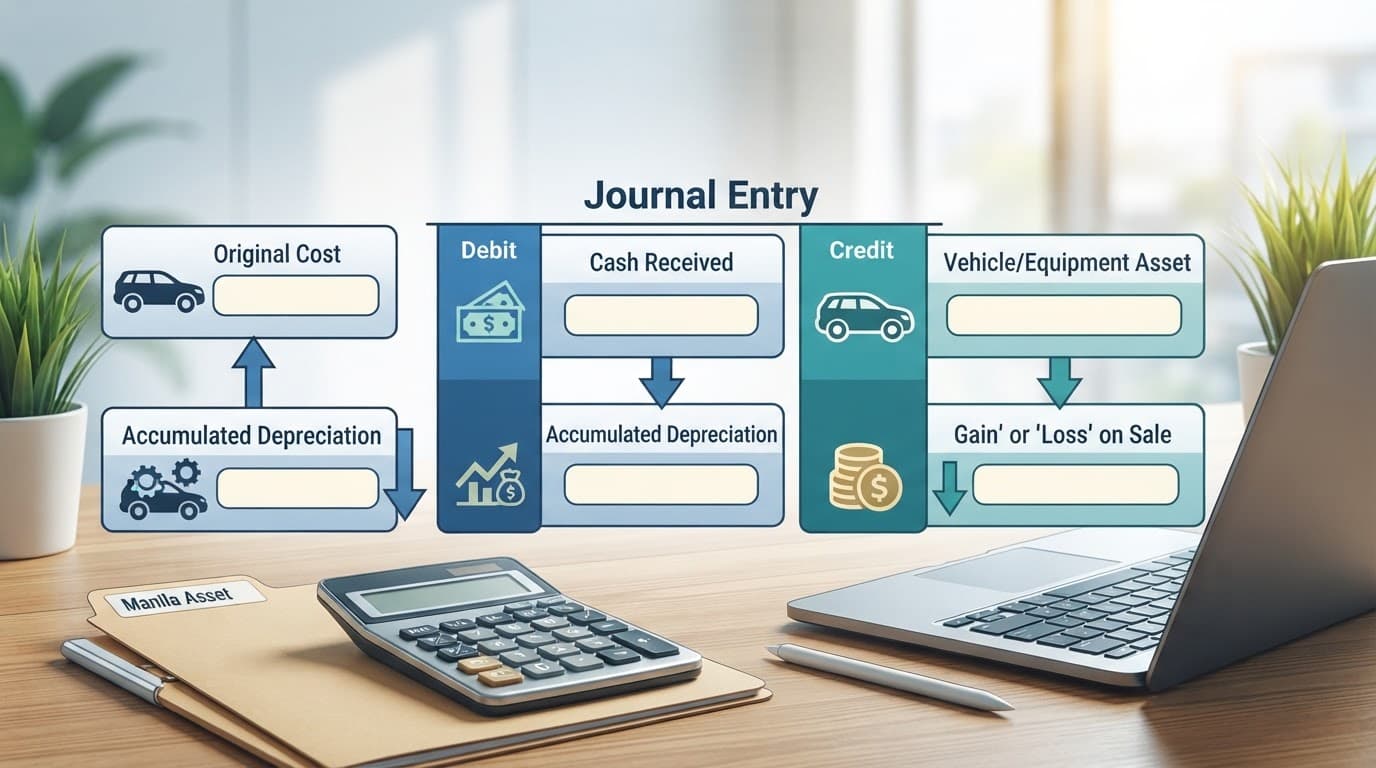
The journal entry is:
| Account | Debit | Credit |
|---|---|---|
| Cash or bank account | $25,000 | |
| Accumulated depreciation, equipment | $30,000 | |
| Equipment | $50,000 | |
| Gain on sale of equipment | $5,000 |
The debit to accumulated depreciation removes the contra-asset balance. The credit to Equipment removes the original cost. The $5,000 credit records the gain.
If the $25,000 deposit already exists in the bank register, coordinate the deposit and journal entry so the cash is recorded once.
Example: the business sells equipment at a loss
Now assume the same equipment sells for $15,000. The book value remains $20,000, so the business has a $5,000 book loss.
| Account | Debit | Credit |
|---|---|---|
| Cash or bank account | $15,000 | |
| Accumulated depreciation, equipment | $30,000 | |
| Loss on sale of equipment | $5,000 | |
| Equipment | $50,000 |
The entry removes the asset and depreciation while recording the difference between book value and proceeds.
For an asset discarded with no proceeds, debit accumulated depreciation and any remaining loss, then credit the fixed asset account. If the asset is fully depreciated and produces no proceeds, the entry may only remove the asset cost and accumulated depreciation.
A disposal entry should leave the fixed asset account and its related accumulated depreciation at zero for that asset. Review the balance sheet after posting.
Why the tax return may show a different result
A QuickBooks fixed asset disposal entry reports the book result. Your tax return uses tax basis and tax classification.
Adjusted basis controls the tax calculation
For tax purposes, the gain or loss generally compares the amount realized with the property's adjusted tax basis. The amount realized can include cash, property received, debt relief, or other consideration.
The IRS About Form 4797 page identifies the form used for many sales, exchanges, and dispositions of business property. The form can apply to depreciable equipment, business vehicles, real property, and other qualifying property.
A tax preparer may need to reconcile:
- Book depreciation versus tax depreciation
- Section 179 or bonus depreciation
- Business and personal use
- Prior basis adjustments
- Improvements or additions
- Insurance or other proceeds
For that reason, don't change the tax depreciation schedule based only on the QuickBooks balance.
Depreciation recapture can change the tax character
When depreciable business property is sold for a gain, some or all of the gain may be treated as ordinary income under depreciation recapture rules. The remaining amount may receive different treatment under Section 1231 or other tax rules.
The current Form 4797 instructions explain the relevant reporting parts and recapture calculations. Your tax professional will determine which figures belong on the return.
A book gain of $5,000 doesn't automatically mean the tax return reports a $5,000 capital gain. The tax result depends on adjusted basis, prior deductions, asset type, holding period, and business use.
Casualty losses and related-party sales need review
A vehicle totaled in a crash or equipment damaged by a major storm is different from an ordinary sale. Insurance proceeds, reimbursement, replacement property, and the date of the event can affect the result.
Related-party transactions also require care. Selling an asset to an owner, family member, another company, or a commonly controlled entity can create special valuation and loss rules.
Have a professional review any material asset , casualty loss, related-party transfer, trade-in, donation, or unusual disposition before posting the final entry. This guide covers general bookkeeping workflow, not individualized tax, legal, or accounting advice.
Records to retain after the disposal
Keep the disposal documents with the asset's original purchase records. A clean QuickBooks file helps, but the supporting evidence proves what happened and when.
Use this checklist:
- Original invoice, purchase agreement, or closing statement
- Serial number, vehicle identification number, or other asset identifier
- Date placed in service and date sold or discarded
- Depreciation schedule for book and tax purposes
- Sale agreement, buyer invoice, or trade-in documentation
- Bank deposit, check copy, or payment record
- Loan payoff statement, if applicable
- Photos and insurance settlement documents for damaged property
- Evidence of business-use percentage for mixed-use assets
- Journal entry detail and explanation
- Approval from the owner or manager who authorized the disposal
Attach digital copies to the transaction when practical. Use a consistent naming system, such as the asset name followed by the disposal date.
After posting, review the balance sheet, profit and loss statement, bank reconciliation, and fixed asset listing. If the asset still appears on the listing, or the proceeds appear twice, correct the entry before closing the month.
Businesses that need help cleaning up old asset balances can seek QuickBooks assistance in Fort Myers before the issue reaches tax filing season.
Conclusion
A correct QuickBooks fixed asset disposal removes the original cost, clears accumulated depreciation, records the proceeds, and shows the book gain or loss. The tax return may use a different basis and may apply depreciation recapture, so the QuickBooks result shouldn't be copied automatically into the tax forms.
Keep the purchase, depreciation, sale, and payment records together. For significant, damaged, related-party, or unusual assets, professional review is the safest way to keep the books and tax filing aligned.